
Order Entry Automation
Turn incoming purchase orders into ERP sales orders, with validation and human review defined by your business.

Validated Entry
Check products, prices, quantities, and customer details against your business rules before submission.
ERP Sync
Validated orders move into your ERP when your workflow's requirements are met.
Access You Control
Define which people and AI agents can view, change, approve, or submit orders.
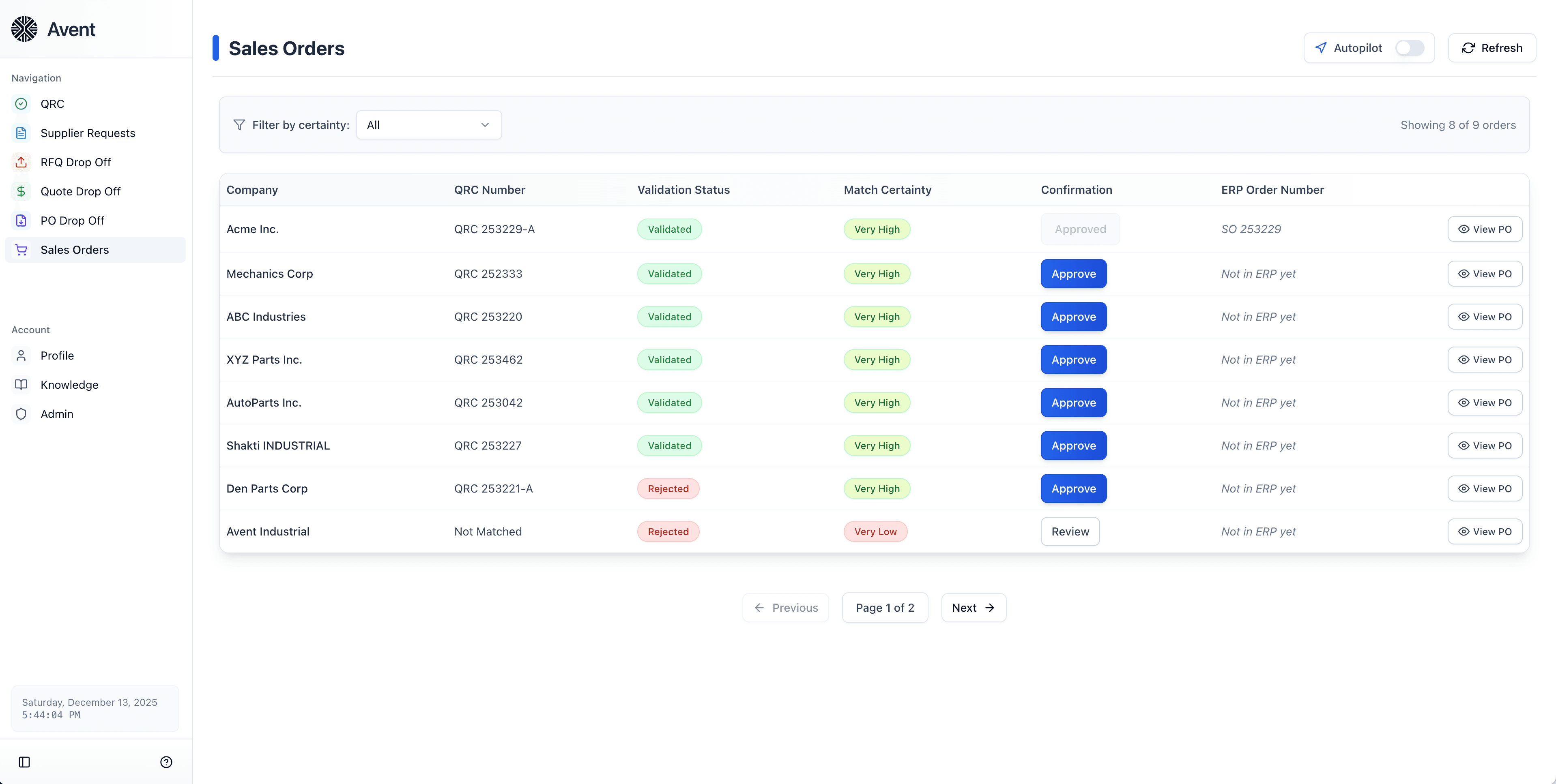
Automated Order Entry, Done Right
Avent turns incoming purchase orders into structured sales orders. It extracts order details, checks them against your business rules, and sends orders to your ERP when validation and approval requirements are met.
Validate Orders Against Your Rules
Avent matches incoming purchase orders to their corresponding quotes and checks pricing, quantities, and terms. Your workflow defines the validation and human approval required before an order reaches your ERP.
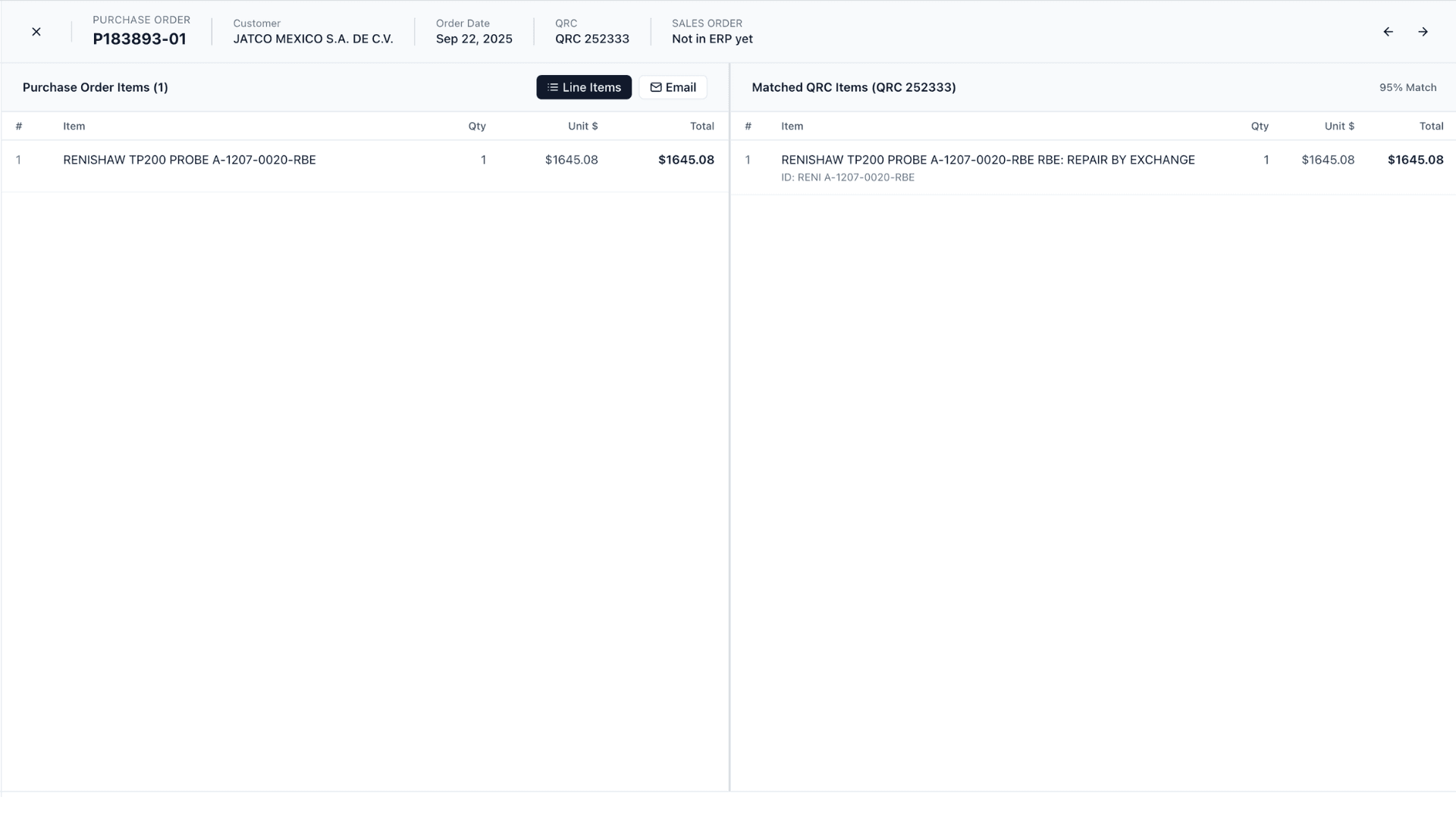
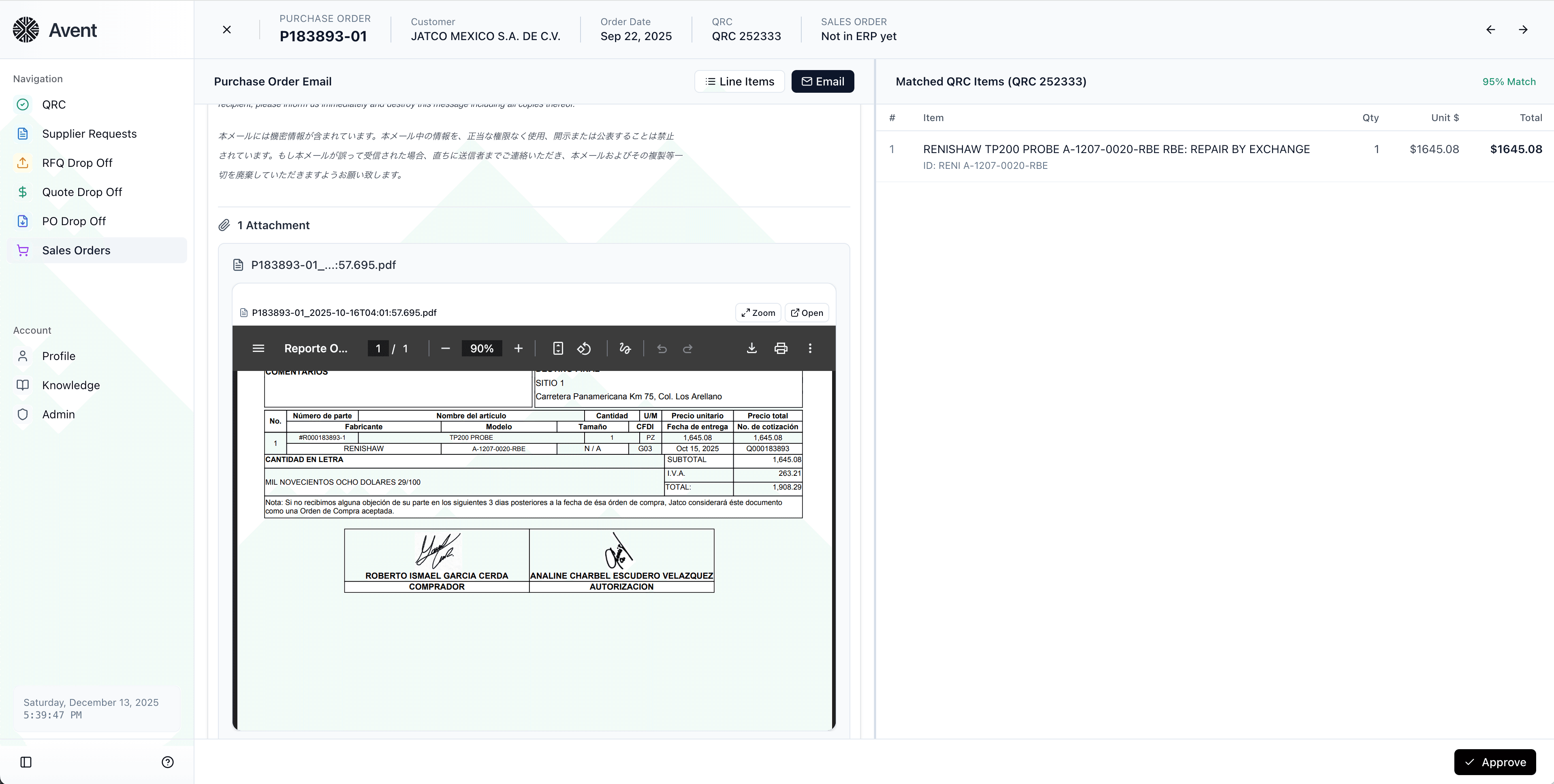
Line-Level Review and Correction
See what was extracted from the customer’s purchase order alongside the original email and attachments. Correct missing or wrong information in Avent so the work that depends on it can continue.